Key Takeaways
- WhatCable is a free app for Mac users with Apple Silicon chips.
- It tests the quality of USB-C cables by analyzing data collected by your Mac.
- The app provides insights on whether a cable is fast or slow.
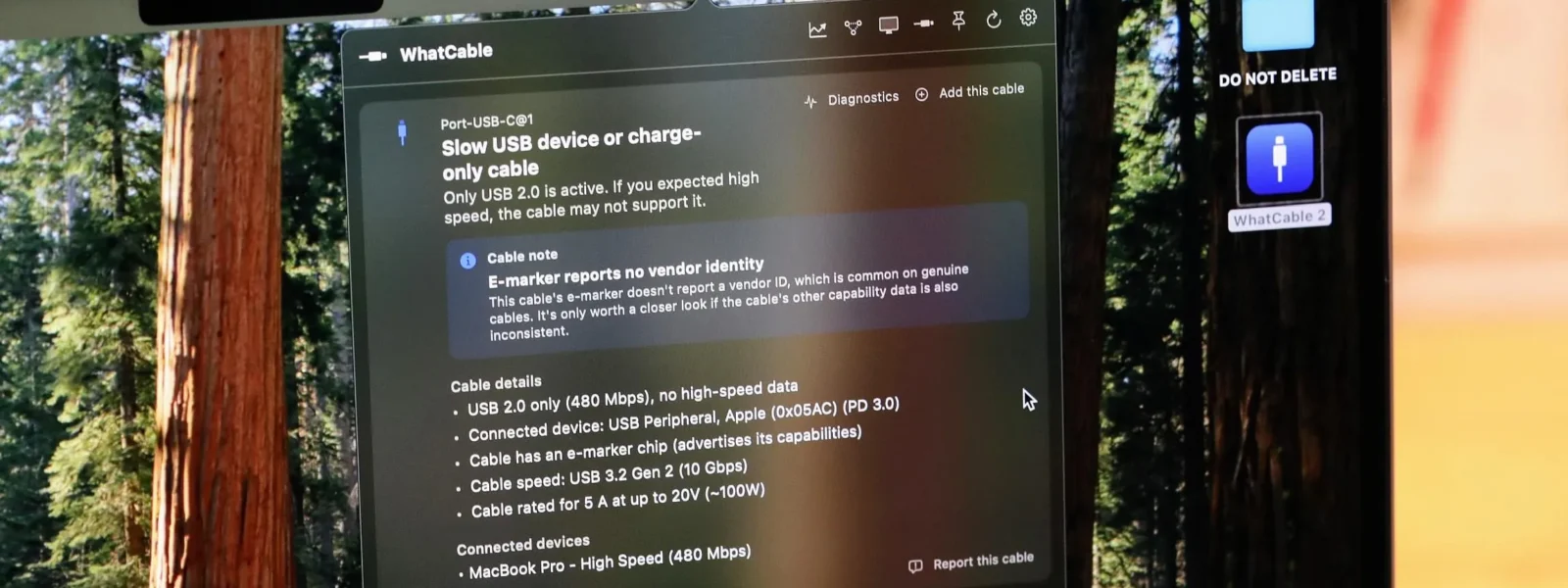
For Mac users seeking to ensure their USB-C cables are performing optimally, WhatCable offers a simple solution. This free application, available for devices with Apple Silicon chips, leverages existing data collected by the user's Mac to test and identify the quality of connected USB-C cables.
Developed as an alternative to discontinued hardware testers, WhatCable functions through a widget placed in the menu bar of your Mac. By clicking this widget, users can instantly see detailed information about their attached USB-C cables and devices, providing immediate feedback on cable performance without requiring additional hardware purchases.
The app works by analyzing data that Apple typically does not share with users, offering a unique insight into the capabilities of each connected device. According to The Verge, this method ensures that users can quickly determine if their USB-C cables are fast or slow, helping them make informed decisions about which cables to use for specific tasks.
While WhatCable may not offer the same level of detail as dedicated hardware testers, it remains a valuable tool for Mac users who want to optimize their setup without incurring additional costs. The app's intuitive design and ease of use make it accessible even for those less technically inclined.
Users can download WhatCable directly from the App Store, making it readily available to anyone with an Apple Silicon-equipped Mac. By integrating seamlessly into your existing workflow, this free application provides a practical solution for maintaining optimal performance across all connected devices.